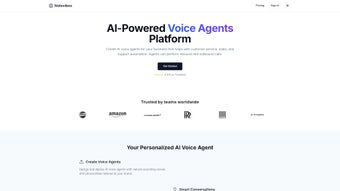

Download Notevibes – Text to Speech, Free Online Voice Generator
Overview of Notevibes
Notevibes is a web‑based text‑to‑speech (TTS) platform that turns written content into natural‑sounding audio files in a matter of seconds. Designed for both personal creators and commercial teams, the service delivers high‑quality voice synthesis without the need for costly voice‑over talent. By leveraging advanced neural‑network models, Notevibes produces lifelike speech in more than 25 languages, covering major accents such as US, UK, Australian, and Indian English.
Users can download the output as MP3 or WAV, giving flexibility for podcasts, e‑learning modules, marketing videos, or accessibility projects. The interface is clean, intuitive, and fully browser‑based, meaning there is no software to install and updates are applied automatically. Security is a core focus: all text and audio files are encrypted during transmission, and the platform guarantees that creators retain 100 % of the rights to the generated audio.
Whether you’re a teacher needing audio lessons, a marketer creating product demos, or a developer integrating speech into an app, Notevibes offers a reliable, scalable solution that fits into any workflow.
Key Features and Benefits
- Support for 25+ languages, including English, Spanish, French, German, Mandarin, and Hindi.
- Multiple voice types: male, female, and child voices for each language.
- Accent options – US, UK, Australian, Indian – to match regional preferences.
- Customizable speech parameters: speed, pitch, volume, and emphasis.
- Two export formats – MP3 for lightweight sharing and WAV for professional‑grade audio.
- Batch processing: convert up to 500 lines of text in a single session.
- Secure cloud storage with SSL encryption and GDPR‑compliant data handling.
- API access for developers who want to embed TTS functionality into apps or websites.
- Text‑highlight sync feature for e‑learning platforms, improving accessibility.
- Free tier with 200 characters per conversion and premium plans starting at $9.99/month.
Beyond the raw feature list, Notevibes shines in real‑world scenarios. For educators, the ability to generate multilingual audio aids inclusive learning. Sales teams can produce personalized voice messages at scale, increasing engagement without hiring voice actors.
Content creators enjoy the speed of turning scripts into podcast episodes, saving hours of recording and editing. The platform’s API also opens doors for SaaS products that need on‑the‑fly narration, such as news aggregators or AI chatbots. Because everything runs in the browser, there are no compatibility headaches – any modern device can access the service, and updates are seamless.
Installation, Usage, and Compatibility
Getting Started – No Download Required
Notevibes lives entirely online, which means there is nothing to install on your computer or mobile device. To begin, visit the official website, create a free account, and you’ll be taken directly to the main dashboard. The first time you log in, a quick walkthrough highlights the main controls: text input box, voice selector, and the customization sliders for speed, pitch, and volume.
Step‑by‑Step Workflow
- Enter or paste your text into the large editor. The platform supports plain text, HTML, and markdown.
- Select language and voice. Use the dropdown menus to choose the desired language, accent, and gender.
- Adjust speech settings. Move the sliders to fine‑tune speed (0.5×‑2×), pitch (low‑high), and volume (soft‑loud).
- Preview the audio. Click the “Play” button to hear a 10‑second sample. Make any final tweaks.
- Generate and download. Press “Convert” – the service renders the full audio file in seconds. Choose MP3 or WAV and click “Download”.
Operating System Support
Because Notevibes is web‑based, it works on any operating system that runs a modern browser: Windows 10/11, macOS Ventura and later, Linux distributions, as well as mobile platforms like Android 12+ and iOS 15+. The responsive design ensures the same feature set on desktops, tablets, and smartphones.
Integration Options
For developers, the Notevibes API offers RESTful endpoints that accept JSON payloads and return audio URLs. Authentication is handled via API keys, and the service respects rate limits suitable for both small projects and enterprise workloads. Detailed documentation includes sample code for Python, JavaScript, and PHP, making it easy to embed voice generation into existing workflows.
Pros, Cons, and Frequently Asked Questions
Pros
- High‑quality, natural‑sounding voices that rival professional studios.
- Broad language and accent coverage for global audiences.
- Fully browser‑based – no installations, automatic updates.
- Robust customization (speed, pitch, volume, emphasis).
- Secure data handling and full rights retention for users.
- API access enables automation and integration.
- Free tier available for light users and testing.
Cons
- Free plan limits text length to 200 characters per conversion.
- Batch processing is limited to 500 lines in the free tier.
- Advanced voices (e.g., celebrity‑style) require higher‑priced plans.
- Internet connection is mandatory – offline use not supported.
- Export options are limited to MP3 and WAV; no OGG or AAC.
FAQ – Frequently Asked Questions
Can I use the generated audio for commercial projects?
Yes. All audio files created with Notevibes belong to you, and you may use them in commercial videos, ads, e‑learning courses, or any other profit‑generating material without additional licensing fees.
Is there a limit on how many files I can download per month?
Free accounts are limited to 10 downloads per month. Premium subscriptions provide unlimited downloads, with higher tiers offering priority rendering queues.
How secure is my data when I upload text?
Notevibes uses TLS 1.3 encryption for all data in transit and stores temporary text files on encrypted servers that are automatically deleted after rendering. The platform complies with GDPR and CCPA standards.
Can I integrate Notevibes with my existing LMS?
Absolutely. The API returns a direct URL to the generated audio, which can be embedded into any learning management system that supports external media links.
What is the difference between the MP3 and WAV outputs?
MP3 provides a compressed file suitable for web streaming and mobile devices, while WAV offers lossless, uncompressed audio ideal for professional editing and broadcasting.
Conclusion – Should You Download Notevibes?
Notevibes stands out as a versatile, secure, and user‑friendly text‑to‑speech solution that caters to a wide audience—from teachers crafting audio lessons to marketers producing multilingual ads. Its extensive voice library, fine‑grained customization, and seamless web‑based workflow eliminate many of the hurdles associated with traditional voice‑over production. While the free tier imposes modest limits, the pricing structure is transparent, and the premium plans unlock powerful batch processing and API access that scale with business needs. If you’re looking for a reliable tool that lets you generate professional audio quickly, without sacrificing control or security, downloading (or rather, signing up for) Notevibes is a smart move. Start your free trial today, explore the voice options, and experience how effortless high‑quality speech synthesis can be.



.png)



